
For many San Antonio buyers and homeowners, the short answer is yes, a smart thermostat can be worth it in a mobile home, especially if you rely heavily on air conditioning, have a variable schedule, or want better control over monthly utility costs.
But it is not automatically the best upgrade for every home. A smart thermostat will not fix poor insulation, leaky ducts, an oversized HVAC system, or a home that struggles to hold temperature. Its value depends on your HVAC compatibility, Wi-Fi reliability, thermostat habits, and how much of your electric bill comes from heating and cooling.
If you are considering a smart thermostat for mobile homes, this guide breaks down when the upgrade makes sense, what to check before buying, and how to set it up for real savings in the Texas heat.
Why smart thermostats matter more in hot climates
In South Texas, cooling is often one of the biggest energy demands inside a home. San Antonio summers are long, humid, and intense, so even small improvements in air conditioning control can add up over time.
A smart thermostat helps by learning your patterns, adjusting temperatures when you are away, and making it easier to avoid cooling an empty home. According to ENERGY STAR, certified smart thermostats save users an average of about 8% on heating and cooling bills.
That average matters because mobile and manufactured homes are often designed with efficient, compact floor plans. A smaller home may cool faster than a large site-built house, which means thermostat settings can have a noticeable impact on comfort. If the home is well sealed and the HVAC system is properly sized, a smart thermostat can help maintain comfort without running the system longer than necessary.
For a deeper look at the bigger efficiency picture, Homes2Go SA has covered how energy efficient mobile homes cut Texas bills through features like better insulation, efficient windows, and reduced cooling demand.
What a smart thermostat actually does
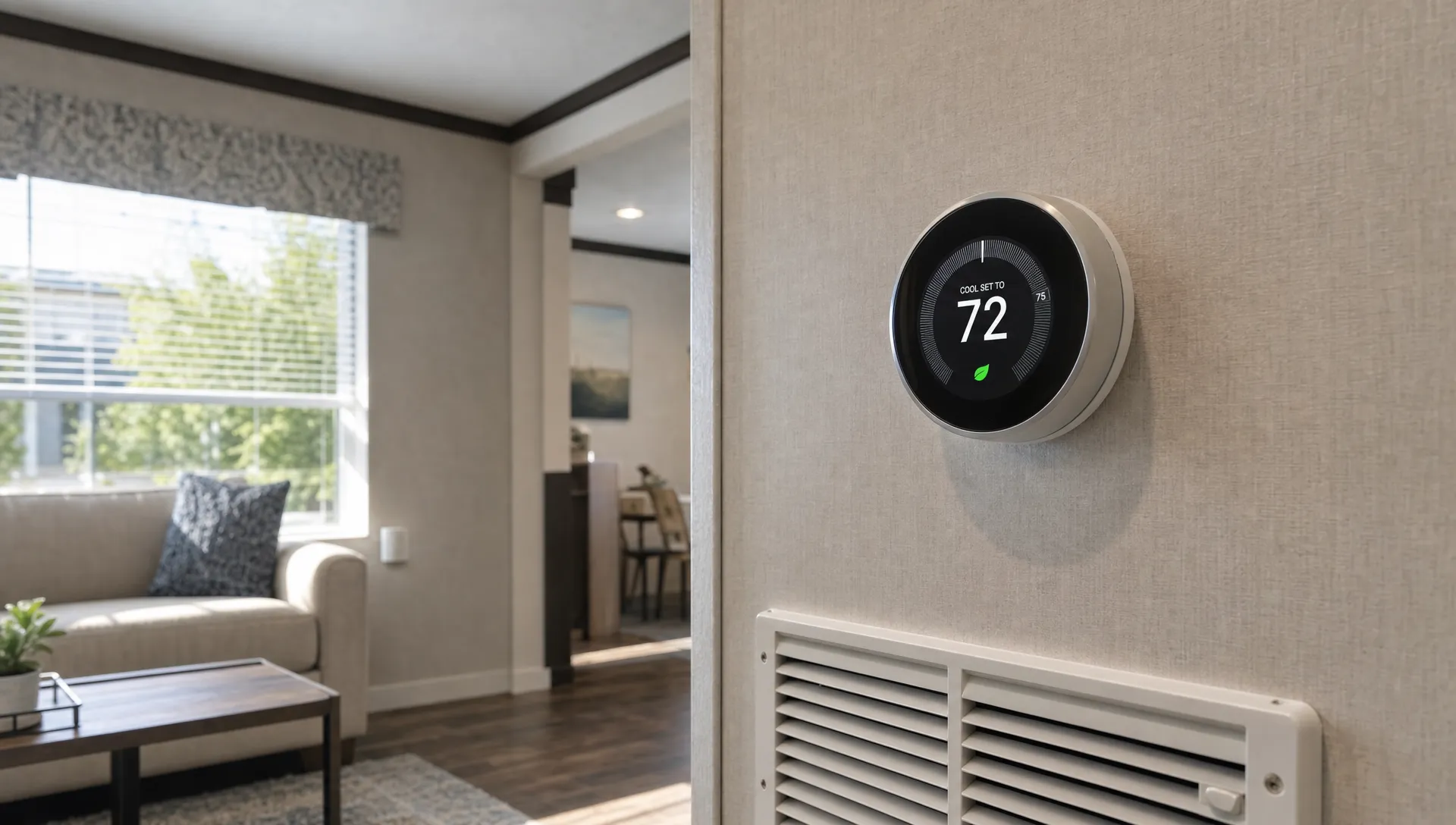
A smart thermostat is more than a digital temperature display. Most models connect to Wi-Fi and allow you to control your HVAC system from a phone app. Many also include learning schedules, occupancy detection, usage reports, energy-saving suggestions, and alerts when the system runs unusually long.
The most useful features for mobile homes usually include:
- Remote control: Adjust the temperature from work, school, or while traveling.
- Scheduling: Set different temperatures for daytime, nighttime, and weekends.
- Geofencing: Let the thermostat adjust when your phone leaves or returns home.
- Energy reports: See when your HVAC system runs the most.
- Maintenance reminders: Get alerts for filter changes or system issues, depending on the model.
A programmable thermostat can do some of this, but it usually requires manual schedule setup. A manual thermostat offers the least control and depends entirely on your habits.
| Thermostat type | Best for | Main limitation |
|---|---|---|
| Manual thermostat | Simple temperature control | No automation or usage insight |
| Programmable thermostat | Predictable schedules | Savings depend on proper programming |
| Smart thermostat | Changing schedules, remote control, energy tracking | Requires compatibility, Wi-Fi, and correct setup |
When a smart thermostat is worth it in a mobile home
A smart thermostat is most likely to pay off when your home has central air conditioning or a compatible heat pump, your cooling bills are meaningful, and you do not already manage the thermostat carefully every day.
It is especially useful if your household has a changing routine. For example, if everyone leaves during the day, the thermostat can raise the cooling setpoint while the home is empty and cool it back down before you return. That is easier than remembering to adjust the thermostat every morning.
It can also help families who want better comfort control. If one person likes the home cooler at night and another wants to save energy during the day, a smart thermostat can create a consistent schedule without daily arguments over the dial.
In mobile homes, the comfort benefit can be just as important as the savings. Good scheduling can reduce temperature swings, prevent unnecessary runtime, and help you understand whether high bills are caused by settings, weather, duct issues, or an aging HVAC system.
When it may not be worth it
A smart thermostat is less valuable if your current habits are already excellent. If you consistently raise the temperature when leaving home, use efficient setpoints, and rarely forget to adjust the thermostat, your additional savings may be modest.
It may also be a poor investment if your HVAC system is not compatible. Some older systems lack the wiring needed to power a smart thermostat, especially the common wire, usually called the C-wire. Some thermostats can work around this with adapters, but not every setup is simple.
You should also be cautious if the home has weak Wi-Fi near the thermostat location. A smart thermostat can still control temperature without internet in many cases, but you may lose remote access, app control, learning features, and software updates.
Finally, a smart thermostat should not be treated as a substitute for basic home performance. If the home has major air leaks, damaged ductwork, old windows, or inadequate insulation, those problems can overwhelm any thermostat strategy. In that case, it may be smarter to address the building envelope and HVAC system first. Homes2Go SA explains this broader relationship in its guide on how manufactured homes reduce heating and cooling costs.
Compatibility checks before buying
Before purchasing a smart thermostat, check the HVAC system and wiring. Many mobile and manufactured homes use conventional central AC with electric heat, a gas furnace, a heat pump, or a packaged unit. Smart thermostats can work with many of these systems, but the exact model matters.
Start by removing the thermostat cover and taking a photo of the wiring before touching anything. Look for labeled terminals such as R, Rc, Rh, C, Y, W, G, O, or B. The C-wire is important because it provides continuous power to the thermostat. If there is no C-wire, you may need a compatible adapter or professional installation.
You should also confirm whether your system is low-voltage or line-voltage. Most central HVAC thermostats are low-voltage, but some heating systems use line voltage and require a different type of thermostat. If you are unsure, stop and call a licensed HVAC technician.
Also check the thermostat manufacturer’s compatibility tool before buying. Most major brands provide online checkers where you enter your wiring labels and system type.
How much can you actually save?
Savings depend on your local rates, HVAC usage, home efficiency, and thermostat settings. The best way to think about payback is to calculate savings against the heating and cooling portion of your bill, not your entire electric bill.
Here is a simple example using the ENERGY STAR average savings estimate of about 8% on heating and cooling:
| Estimated annual heating and cooling cost | Estimated 8% annual savings | Approximate payback on a $200 installed cost |
|---|---|---|
| $800 | $64 | About 3.1 years |
| $1,200 | $96 | About 2.1 years |
| $1,600 | $128 | About 1.6 years |
This is only a planning example, not a guarantee. If your cooling costs are high and you use the smart features consistently, the payback can be faster. If your HVAC use is low or you already manage temperatures manually, payback can take longer.
Also check for rebates before buying. Utilities and energy-efficiency programs sometimes offer discounts on qualifying smart thermostats. Availability changes, so review your local utility’s current programs and the ENERGY STAR rebate finder before purchasing.
Best thermostat settings for San Antonio mobile homes
A smart thermostat only saves money when the settings make sense. In hot weather, many households set the thermostat lower than needed and then leave it there all day. That can make the AC run longer, especially during peak afternoon heat.
The U.S. Department of Energy notes that thermostat setbacks can help reduce energy use when done consistently. Its thermostat guidance recommends using schedules that reduce heating and cooling demand when you are asleep or away.
For San Antonio summers, the goal is not to let the home become unbearably hot. Instead, use moderate changes. Raising the cooling setpoint a few degrees while you are away can reduce runtime without forcing the system to work too hard when you return.
A practical setup might include a comfortable occupied setting, a slightly warmer away setting, and a nighttime setting that balances sleep comfort with energy use. Avoid extreme setbacks during humid weather if they make the AC run for hours later or leave the home feeling damp.
How to get the most value from a smart thermostat
Installation is only the first step. The thermostat needs to be configured around your actual home and routine.
Start by setting a weekly schedule instead of relying only on the default learning mode. Learning features can be helpful, but a clear schedule gives the device better guidance. If your routine changes often, geofencing can help the thermostat respond automatically when the home is empty.
Next, pay attention to usage reports. If the AC runs constantly in the afternoon, the issue may not be the thermostat. It could be sun exposure, air leakage, dirty filters, blocked vents, duct problems, or an HVAC system that needs service.
Change filters regularly, keep supply vents open, and avoid blocking returns with furniture. A smart thermostat can alert you to long runtimes, but it cannot move air properly if the system is restricted.
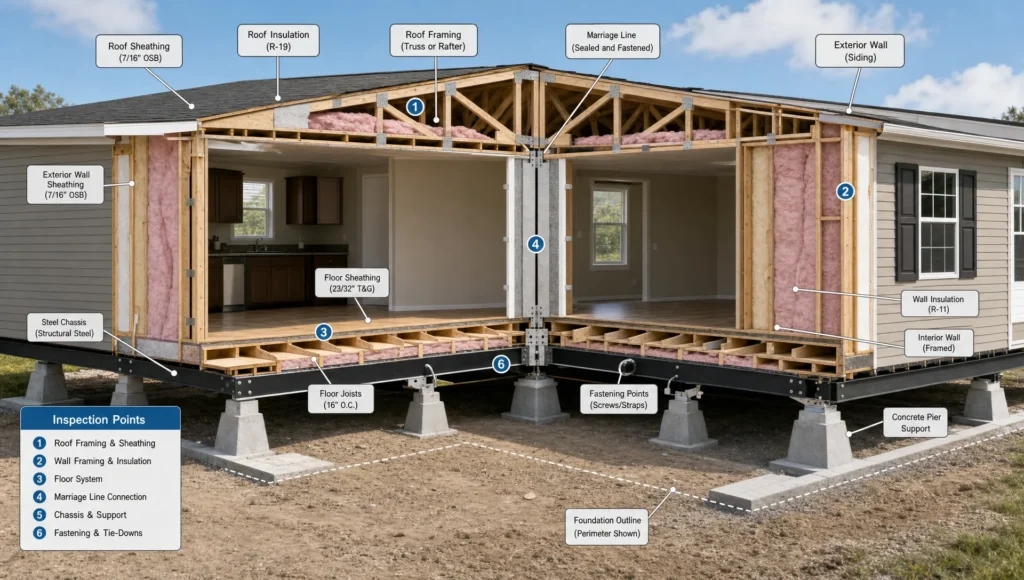
If you are shopping for a new manufactured home, think of the smart thermostat as one part of a larger comfort strategy. Efficient insulation, sealed ductwork, good windows, and correctly sized HVAC equipment usually matter more than the thermostat alone. Homes2Go SA’s guide to energy efficient manufactured homes in the Texas heat explains which features can make the biggest difference.
Should first-time mobile home buyers prioritize a smart thermostat?
If you are buying your first mobile or manufactured home, a smart thermostat is a useful feature, but it should not be the top deciding factor. Prioritize the home’s floor plan, construction quality, insulation, HVAC condition, financing fit, and total monthly cost.
A smart thermostat is relatively easy to add later if the HVAC system is compatible. By contrast, poor insulation, inefficient windows, or a badly sized HVAC system can be much more expensive to correct.
That said, if you are comparing two similar homes, the one with better energy features and a thermostat-ready HVAC setup may offer stronger long-term value. Ask about HVAC type, thermostat wiring, insulation, window efficiency, and available floor plans before choosing.
Final verdict: are smart thermostats worth it in mobile homes?
A smart thermostat is worth it in many mobile homes when three conditions are met: the HVAC system is compatible, the home has reliable Wi-Fi, and the household will actually use the scheduling or remote-control features.
In San Antonio, where cooling demand can be high for much of the year, the upgrade can help reduce wasted AC runtime and improve comfort. It is not a miracle fix, but it is a practical, relatively affordable efficiency upgrade when paired with a well-maintained HVAC system and an energy-conscious home.
If you are already careful with thermostat settings, the savings may be smaller. If your home has air leaks or duct problems, fix those first. But for many households, especially busy families and first-time buyers, a smart thermostat can be a smart step toward lower bills and better everyday comfort.
Frequently Asked Questions
Can you put a smart thermostat in a mobile home? Yes, many mobile and manufactured homes can use smart thermostats, as long as the HVAC system and wiring are compatible. Always check the thermostat manufacturer’s compatibility tool and consult an HVAC professional if you are unsure.
Do smart thermostats really save money in mobile homes? They can. ENERGY STAR estimates certified smart thermostats save about 8% on heating and cooling costs on average. Your actual savings depend on your HVAC usage, local energy rates, home efficiency, and thermostat settings.
Do I need a C-wire for a smart thermostat? Many smart thermostats work best with a C-wire because it provides continuous power. Some models include adapters or can work without one in certain systems, but compatibility varies.
Is a smart thermostat better than a programmable thermostat? A smart thermostat is usually better for people with changing schedules, because it offers app control, automation, and energy reports. A programmable thermostat can still work well if you set and maintain a good schedule.
What temperature should I set my mobile home to in summer? There is no single perfect setting for every household. Choose the warmest temperature that still feels comfortable when you are home, and use a slightly higher setting when you are away to reduce unnecessary AC runtime.
Find a mobile home built for comfort and efficiency
A smart thermostat can help, but the home itself matters most. If you are looking for an affordable manufactured or mobile home in San Antonio, Homes2Go SA can help you compare models, floor plans, energy-efficient designs, and financing options that fit your goals.
Explore homes that are designed for modern living, lower monthly stress, and everyday comfort in the Texas heat.
 What Strong Manufactured Construction Really Looks Like
 Double Wide Mobile Homes for Sale Locally: Buyer Tips