
Most people don’t need more square footage, they need a smarter plan. The right mobile home layouts can make the same home feel brighter, wider, and easier to live in, especially when every room has a purpose and the traffic flow makes sense.
Below are the most popular manufactured home floor plans buyers choose because they live bigger, plus practical ways to read a floor plan and pick a layout that fits your household (and your San Antonio lifestyle).
What “lives bigger” really means in a mobile home layout
A floor plan feels larger when it reduces wasted space and makes daily routines easier. In manufactured homes, that usually comes down to a few design choices:
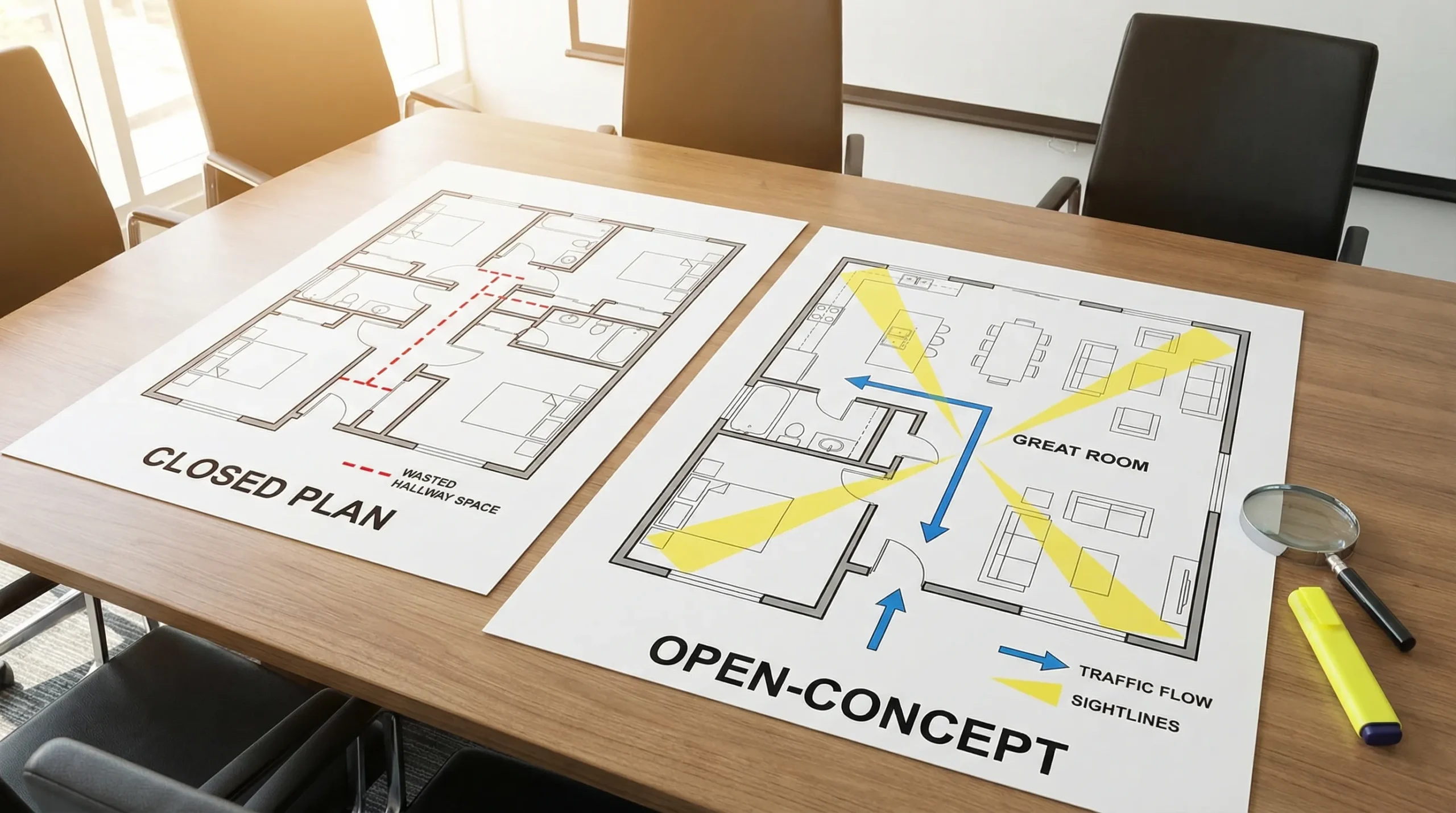
- Open sightlines (you can see across the main living area).
- Fewer hallways (hallway square footage is hard to “use”).
- Clear zones for cooking, dining, relaxing, laundry, and storage.
- Bedroom separation for privacy and quieter sleep.
- Storage in the right places, not just more closets.
A useful rule of thumb: two homes with the same square footage can feel completely different if one has long corridors and chopped-up rooms, while the other has a central great room and storage placed near the entry, kitchen, and bedrooms.
Quick guide: common manufactured home layout types (single-wide, double-wide, multi-section)
Before comparing floor plans, it helps to understand the “canvas” designers are working with.
- Single-wide layouts are narrower and often prioritize linear flow. They can live surprisingly large with an open great room and smart storage, but hallways and bedroom placement matter a lot.
- Double-wide layouts (two sections) offer more width, which typically means bigger living areas, kitchen islands, and better bedroom separation.
- Multi-section layouts (three or more sections) can add features like dedicated foyers, larger primary suites, or two living spaces.
Manufactured homes are built to the federal HUD Code standards (often simply called “HUD Code homes”). If you want the regulatory baseline, HUD’s overview is a helpful reference: HUD manufactured home standards.
Popular mobile home layouts that feel bigger (and why they work)
1) Open-concept great room (kitchen, dining, living together)
This is the most requested “make it feel bigger” layout because it increases sightlines and flexibility.
What to look for on the floor plan:
- A kitchen that faces the living area (instead of turning its back to it).
- A dining space that can be a table area now and a desk nook later.
- Enough wall space for seating and a TV, so the room is not forced into awkward furniture placement.
San Antonio-friendly tip: If you entertain often or have kids moving in and out, open-concept plans help the home feel social, and they can also improve daylight distribution when windows are placed on multiple sides.
2) Split-bedroom layout (privacy for families, roommates, and guests)
A split-bedroom plan places the primary bedroom on one end and the secondary bedrooms on the other, usually with the living area in the middle.
Why it “lives bigger”:
- You get privacy without needing more square footage.
- The home feels more organized because sleeping zones are separated.
This layout is especially popular for:
- Families with older kids
- Multi-generational households
- Buyers who want a dedicated guest room that feels separate
3) Primary suite with a real dressing zone (walk-in closet plus ensuite)
A strong primary suite can make the whole home feel more upscale and easier to live in. On a floor plan, look for a bathroom and closet that do not pinch the bedroom itself.
Signs it will function well:
- A closet that is easy to access without blocking circulation.
- A bathroom layout that keeps the vanity usable while someone else is in the shower.
4) Kitchen-forward layouts (island, pantry, and work triangle)
A bigger-feeling home often starts with a better kitchen.
What makes a kitchen layout feel “big”:
- A pantry (even a compact one) so counters stay clear.
- Landing space near the fridge and range.
- A functional work triangle (fridge, sink, cooktop) that doesn’t fight the traffic path.
If you’re comparing two floor plans, choose the one where people can walk from the entry to the living room without cutting through the cooking zone.
5) Utility room near the bedrooms (laundry where it’s used)
Laundry placement is a quality-of-life feature that doesn’t always show up in photos, but it changes how the home lives.
Common patterns:
- Bedroom-adjacent utility: easier for families, keeps the routine quieter.
- Entry-adjacent utility: great if you want a “drop zone” for sweaty clothes, work uniforms, or sports gear.
In South Texas heat, many buyers appreciate an entry-side utility or mudroom concept because it reduces clutter in the main living space.
6) Two living areas (living room plus den or family room)
If you work from home, have teenagers, or simply want separation between “TV time” and “quiet time,” a second living space can make a home feel larger than its square footage.
One living area can become:
- A home office
- A playroom
- A media room
- A guest sitting area
The key is placement. The best plans put the second space away from bedroom doors so noise doesn’t travel.
7) Porch-friendly entry layouts (a better transition into the home)
Even when a porch is an add-on or site-built feature, the interior entry matters. A layout with a defined entry or a small foyer area tends to feel more like a site-built home.
If the plan drops you directly into the kitchen, look for at least one wall or nook where you can add a bench, hooks, and a small shoe storage solution.
Which floor plan should you choose? A practical comparison
Use the table below as a quick way to match popular layouts to real life needs.
| Layout style | Best for | Why it feels bigger | Watch-outs when shopping |
|---|---|---|---|
| Open-concept great room | Entertainers, families, buyers who want flexibility | Fewer walls, better sightlines, adaptable furniture zones | Noise travels, make sure there is enough storage and wall space |
| Split-bedroom | Families, roommates, frequent guests | Privacy without extra square footage | Check bathroom access for guests (not through a bedroom) |
| Kitchen-forward with island + pantry | Cooks, busy households | Cleaner counters, better flow, stronger “center of home” feel | Ensure clear walking paths around the island |
| Two living areas | Work-from-home, teens, multi-gen households | Separates activities, reduces clutter in main room | Confirm the second space has a clear purpose and good lighting |
| Entry/foyer emphasis | Buyers who want a more “traditional home” feel | Better transition space, less clutter in main room | Single-wides may have limited entry wall space |
How to read a manufactured home floor plan (so you don’t regret the layout later)
Floor plans can look perfect online, then feel different in person. Here’s how to evaluate a layout like a pro.
Start with circulation (traffic flow)
Trace the “daily routes” with your finger:
- Entry to kitchen
- Kitchen to living room
- Bedrooms to bathrooms
- Laundry to bedrooms
If those paths cut through the cooking zone, or if you have to pass through the living room to reach bedrooms, the home can feel cramped even if the rooms are large.
Check door swings and pinch points
Look at where doors open. A door that swings into a narrow hall can create constant bottlenecks. Also check whether a bedroom door opens directly into a high-traffic area.
Visualize real furniture, not showroom furniture
Showrooms stage smaller furniture to make rooms feel bigger. When you review a plan, think in terms of your real pieces.
A quick test:
- Can you fit a sofa and still walk past it comfortably?
- Is there a logical TV wall that does not block windows?
- Will your dining table fit without blocking a hallway?
Prioritize storage placement, not just total storage
A huge closet at the far end of the home does not help if you need coats, backpacks, or pet supplies near the entry.
If you are choosing between similar plans, the one with small storage in the right spots usually “lives bigger.”
Layout features that maximize space without adding square footage
These are some of the highest-impact design choices to look for when comparing mobile home layouts.
| Feature | Where it matters most | How it helps the home live bigger |
|---|---|---|
| Pantry or tall cabinet wall | Kitchen | Reduces counter clutter and adds “built-in” feel |
| Dedicated drop zone (bench, hooks, closet) | Entry | Keeps shoes, bags, and gear out of the living space |
| Linen closet near bedrooms | Bedroom hall | Prevents bathroom overflow and reduces bedroom clutter |
| Wide openings between kitchen and living | Main living area | Improves sightlines and circulation |
| Bedroom separation (split plan) | Sleeping areas | Creates quiet zones and privacy |
| Flex room or den | Near living area | Adapts to office, playroom, or guest space |
San Antonio considerations: choose a layout that fits the way you live here
The “best” floor plan depends on your lot, your routine, and the realities of South Texas.
Think about heat, utility bills, and how you use rooms
In San Antonio, buyers often spend a lot of time indoors during the hottest part of the day. That makes comfort-focused layouts more valuable:
- A living area that supports ceiling fans and good airflow
- Bedroom placement that allows quieter sleep (especially for shift workers)
- Space for blinds or shades that reduce solar gain
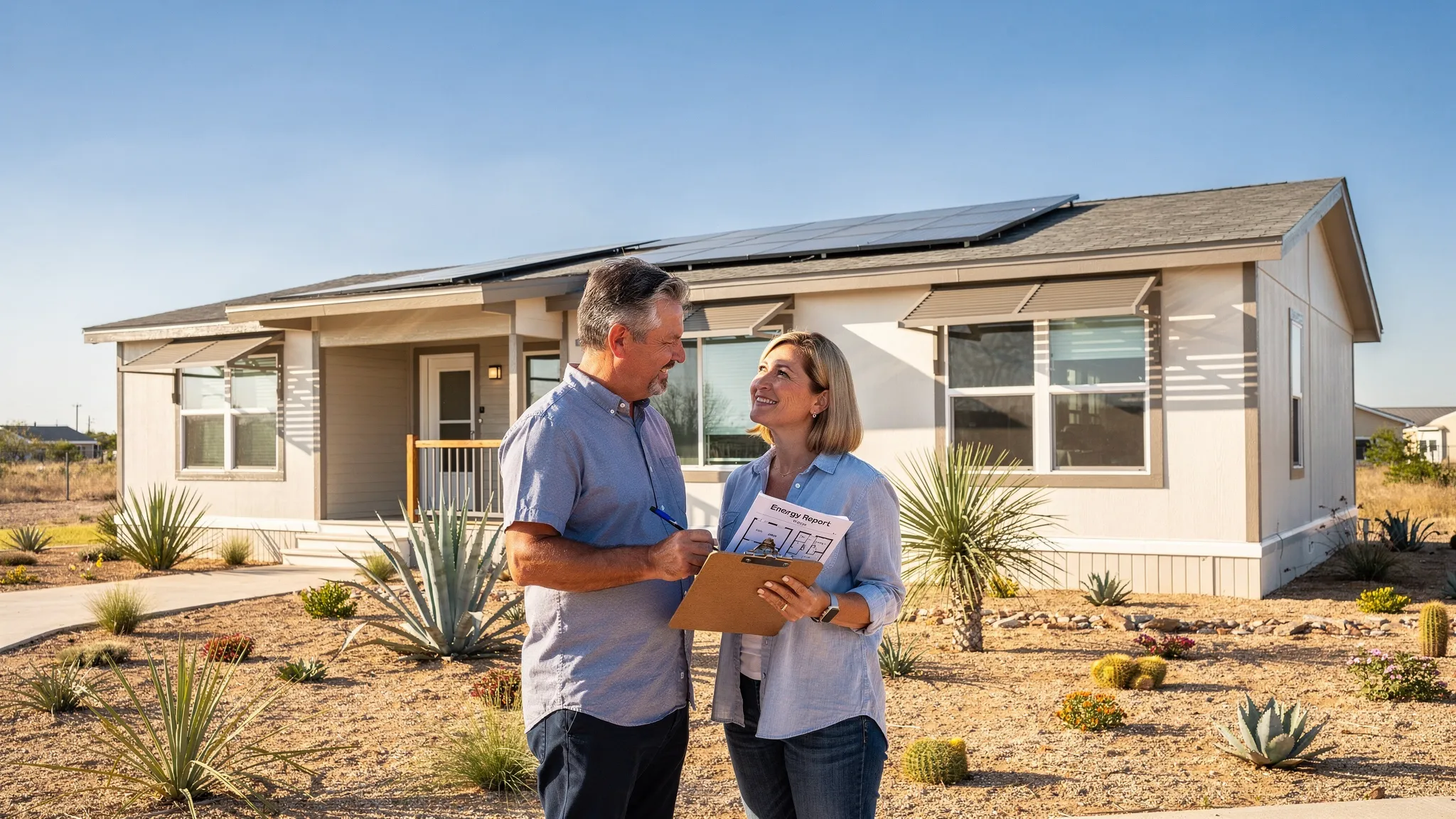
If energy efficiency is a top priority, you can pair layout shopping with an efficiency checklist. Homes2Go has a Texas-specific guide here: energy-efficient manufactured homes in Texas heat.
Decide early: community living or private land
Your setting can influence layout. For example, if you are in a land-lease community, you may value a guest room or second living area more (since outdoor storage and workshops vary by community). If you are placing the home on private land, you might prefer a stronger entry zone, a utility room near exterior doors, or a plan that supports future additions.
If you’re exploring both paths, this guide can help you plan the whole project: land and home packages in San Antonio.
Common layout mistakes (and how to avoid them)
Choosing bedrooms first and ignoring the “middle”
Most of your waking hours happen in the kitchen and living areas. If the great room is undersized or awkward, the home will feel smaller every day.
Underestimating laundry and storage needs
Laundry placement and storage are daily friction points. A layout with better storage can outperform a larger home with poor storage.
Forgetting guest flow
If guests must walk past bedrooms to use the bathroom, it can feel intrusive. Many buyers prefer a hall-access bathroom or a powder room-style placement (depending on the plan).
Buying a layout that only works with tiny furniture
If your current furniture won’t fit comfortably, plan on replacing pieces or choose a different layout. Either way, decide upfront.
Frequently Asked Questions
What are the most popular mobile home layouts right now? Open-concept great rooms and split-bedroom floor plans are two of the most popular because they maximize sightlines and privacy without increasing square footage.
Is a split-bedroom layout worth it in a single-wide? It can be, especially for roommates, older kids, or frequent guests. The key is to check hallway width and bathroom access so the home doesn’t feel like a long corridor.
How do I know if a floor plan will feel cramped? Look for long hallways, tight pinch points near the kitchen, and door swings that collide. Also imagine your real furniture sizes, not staged showroom pieces.
What layout is best for working from home? Many buyers prefer a plan with a second living area, den, or clearly defined dining space that can double as an office. Privacy from the main living area is the biggest factor.
Can Homes2Go help me compare floor plans and financing at the same time? Yes. Homes2Go San Antonio can walk you through available models and layouts, and help you explore financing paths with trusted local lenders. You can start here: manufactured home financing options.
See floor plans that fit your life in San Antonio
If you’re ready to move from “ideas” to real options, Homes2Go San Antonio can help you compare mobile home layouts side by side, review detailed floor plans, and match a model to your budget and timeline.
Browse Homes2Go SA to explore available manufactured and mobile homes, then reach out for expert guidance on the layout that will live biggest for your household: Homes2Go San Antonio.
 Modular Home for Rent Near Me: What to Know Before Signing
 Mobile Homes for Sale by Owner With Land: Deal Checklist